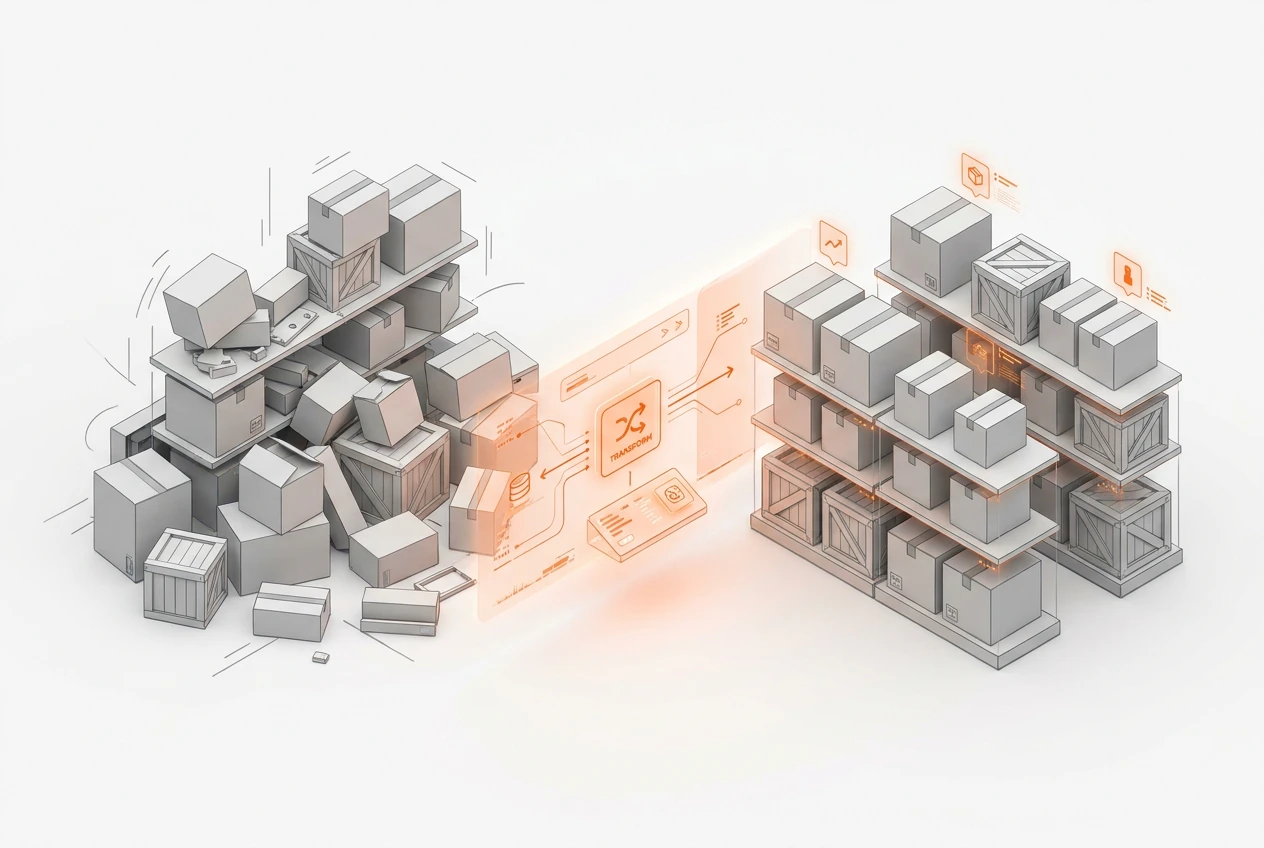
A unified ERP like BOOM ERP fixes inventory issues by replacing disconnected spreadsheets and apps with a single source of truth. This approach to unified inventory management provides real-time stock levels and automates reordering. Furthermore, it tracks goods from the warehouse to the customer. It also integrates with sales and finance, consequently preventing stockouts and overstock while boosting your operational efficiency. This creates a seamless flow of data across your entire business.
Why Are Spreadsheets Failing Your Inventory?
Many businesses start with spreadsheets for inventory. However, this method quickly becomes a major bottleneck. Manual data entry leads to human errors, which causes inaccurate stock counts. Consequently, you might face unexpected stockouts or costly overstocking situations. Spreadsheets also lack real-time updates. This means your team makes decisions based on outdated information, which is a significant risk.
Furthermore, spreadsheets are isolated. They do not connect with your sales, purchasing, or accounting departments. This lack of integration creates data silos, making it nearly impossible to get a clear, overall picture of your business health. It is time to replace spreadsheets with inventory management software that truly connects your operations.
What Is Unified Inventory Management?
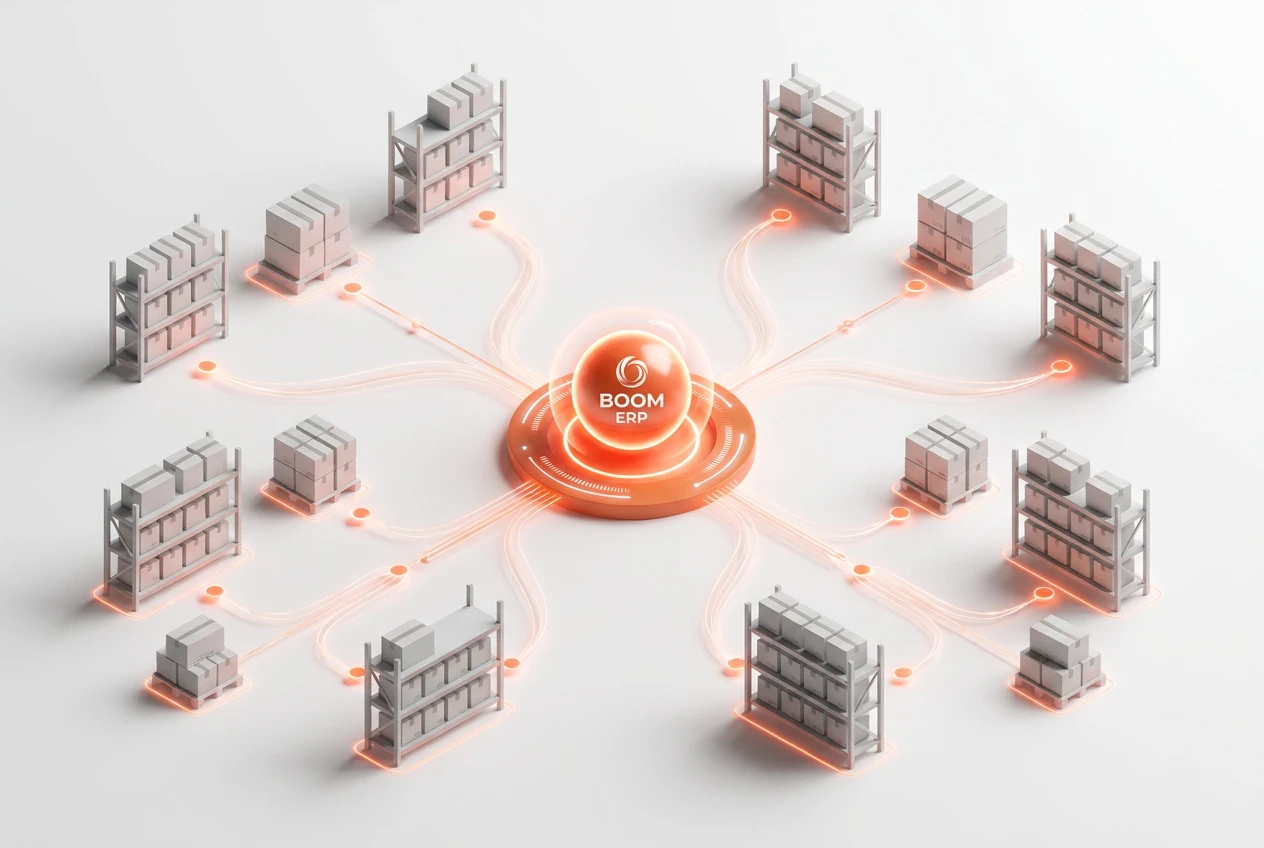
Unified inventory management is an approach where all inventory data is centralized into a single system. Instead of using separate tools for warehousing, sales, and purchasing, everything is managed within one platform. This single source of truth ensures everyone in your organization works with the same accurate, up-to-date information. For example, when a sale is made, inventory levels are automatically adjusted in real-time.
This holistic view is the core of an effective ERP for inventory. It breaks down departmental barriers and fosters collaboration. Therefore, your teams can make faster, more informed decisions. This leads directly to improved efficiency and reduced operational friction. A system like BOOM ERP provides this unified ecosystem out of the box.
How Does an ERP Provide Real-time Stock Tracking?
An ERP system achieves real-time stock tracking by integrating every part of your supply chain. For instance, when new stock arrives at the warehouse, it is scanned into the system. The inventory levels are immediately updated across the entire platform. Similarly, when an order is shipped, the stock count is instantly reduced. This live data is accessible to all relevant departments, from sales to logistics.
This continuous flow of information eliminates guesswork. You always know exactly what you have in stock and where it is located. Consequently, you can confidently promise delivery dates to customers. You can also avoid selling items that are no longer available, which protects your brand’s reputation and improves customer satisfaction.
Can an ERP Automate Your Reordering Process?
Yes, automation is a key benefit of a modern inventory control software. An ERP system can monitor your stock levels automatically. You can set minimum and maximum thresholds for each product. When inventory drops to a certain point, the system can automatically generate a purchase order for your approval. This removes the need for manual stock checks and tedious paperwork.
Moreover, this automation is data-driven. The ERP analyzes historical sales data and lead times to suggest optimal reorder quantities. This ensures you order the right amount of stock at the right time. As a result, you can significantly reduce the risk of stockouts while also minimizing excess inventory.
How Does Unified Inventory Management Reduce Costs?
A unified system offers several ways to lower expenses. First, it helps you avoid carrying excess inventory. Holding too much stock ties up your cash and increases storage costs. By providing accurate demand forecasting and automated reordering, an ERP helps you maintain lean, efficient stock levels. Therefore, you can reduce inventory holding costs with an ERP.
Additionally, it prevents lost sales from stockouts. Having a clear view of your inventory ensures popular items are always available. The system also optimizes warehouse operations, which reduces labor costs. Better organization and tracking mean less time spent searching for items. BOOM ERP consolidates these functions to provide a clear path to profitability.
What Is a Warehouse Management System Within an ERP?
A Warehouse Management System (WMS) module within an ERP is a powerful tool. It manages and optimizes all warehouse activities from a central dashboard. This includes everything from receiving and put-away to picking, packing, and shipping. Instead of a standalone WMS, an integrated module ensures seamless data flow between your warehouse and other business functions like sales and accounting.
For example, when a sales order is created, the WMS automatically generates a picklist for the warehouse team. It can even suggest the most efficient picking route. This integration streamlines order fulfillment, reduces errors, and speeds up delivery times. It is a core component of a true end-to-end workflow, a key feature available through our unified platform.
How Does BOOM ERP Handle Multi-Warehouse Needs?
For businesses with multiple locations, managing inventory can be complex. BOOM ERP is an ideal ERP for multi-warehouse inventory because it provides a consolidated view of stock across all locations. From a single dashboard, you can see inventory levels at each warehouse in real-time. This allows for strategic stock transfers to balance inventory and meet regional demand effectively.
Furthermore, you can manage operations for each warehouse individually while maintaining central oversight. This includes setting location-specific reorder points and managing inter-warehouse transfers. This capability is crucial for scaling your business. It ensures that as you grow, your inventory management remains simple, accurate, and efficient across your entire network.
- Centralized Control: See stock levels for all warehouses on one screen.
- Automated Transfers: Easily move inventory between locations to meet demand.
- Location-Specific Rules: Set unique reordering and management parameters for each site.
- Accurate Reporting: Generate reports that cover your entire inventory network or specific locations.
- Reduced Complexity: Simplify management even as your number of warehouses grows.
How Does Integration Boost Operational Efficiency?
Integration is the foundation of operational efficiency. When your inventory system is connected to sales, finance, and purchasing, data flows freely without manual intervention. For example, a completed sale automatically triggers an invoice in accounting and updates stock levels in the warehouse. This eliminates redundant data entry and reduces the chance of errors.
This seamless workflow also accelerates processes. Order fulfillment becomes faster, invoicing is immediate, and financial reporting is always accurate. Consequently, your team can spend less time on administrative tasks and more time on strategic activities that drive growth. A unified system like BOOM ERP creates a synchronized environment where every department works in harmony.
Frequently Asked Questions
How long does it take to implement an ERP for inventory?
Implementation time varies based on complexity, but modern cloud-based systems like BOOM ERP are designed for rapid deployment. With our support, many businesses are up and running in a matter of weeks, not months.
Can BOOM ERP scale as my business grows?
Absolutely. Our system is built to scale for any team size. Whether you are a small team or a large enterprise with multiple warehouses, BOOM ERP adapts to your needs with role-based security and flexible features.
Is an ERP system better than standalone inventory control software?
For most businesses, yes. While standalone software manages inventory, an integrated ERP connects inventory data to all other business functions. This provides a complete operational view that standalone tools cannot match.
How does an ERP improve forecast accuracy?
An ERP uses historical sales data, seasonality, and market trends to generate highly accurate demand forecasts. This data-driven approach is far more reliable than manual predictions, helping you optimize stock levels.
Can I try BOOM ERP before committing?
Yes, we offer a 7-day free trial with no credit card required. This allows you to explore the platform’s features and see how it can solve your inventory challenges firsthand before making a decision.
Stop letting disconnected systems create chaos in your warehouse. True unified inventory management provides the clarity and control you need to scale efficiently. By centralizing your data with BOOM ERP, you can reduce costs, improve accuracy, and make smarter decisions. Ready to see how a single source of truth can transform your operations? Explore our powerful inventory features today. You can also follow us on Facebook for more updates.