
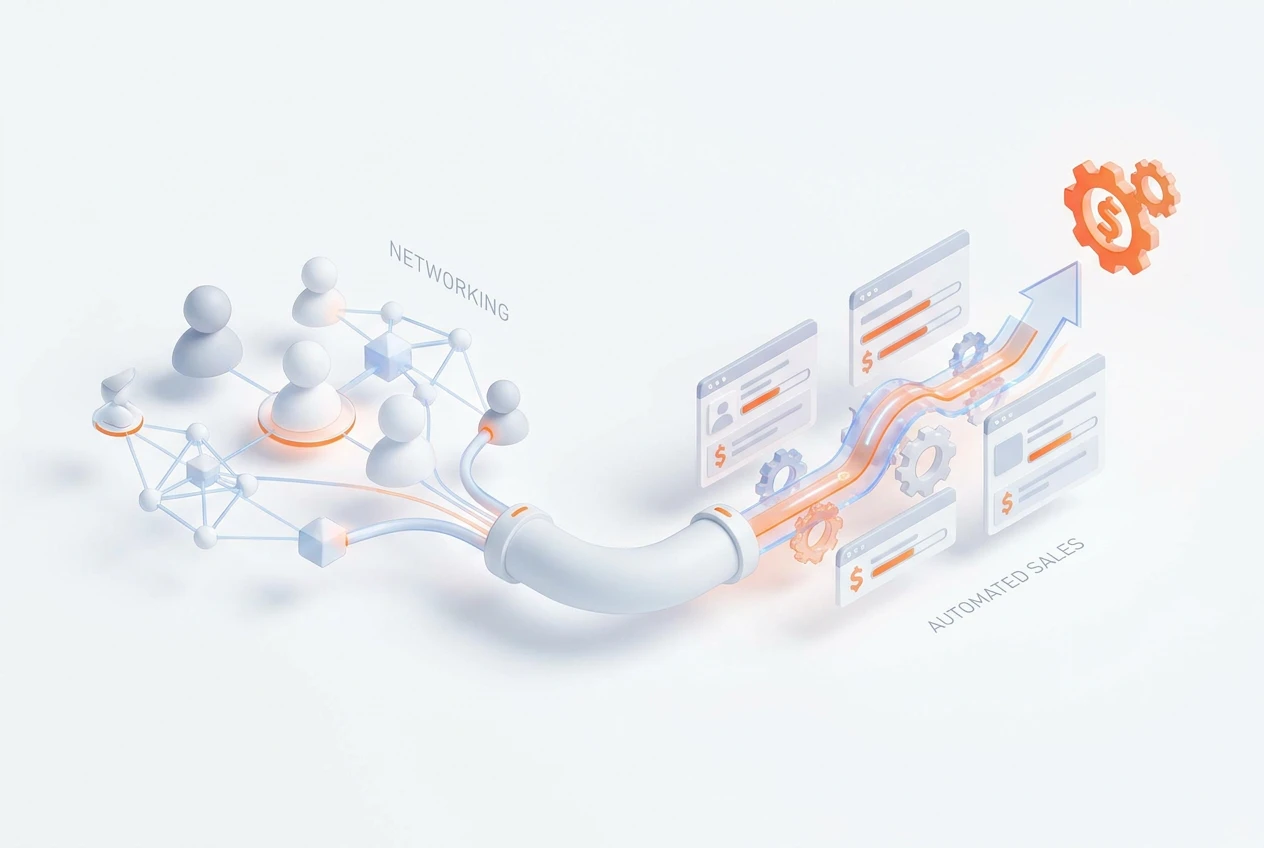
Use a smart pass like BOOM PASS to instantly convert physical interactions into digital workflows. When a new contact scans your pass, their information is captured directly into your CRM. This automatically creates a lead and triggers follow-up sequences. Consequently, this process eliminates manual data entry and ensures no lead is lost, creating powerful automated sales actions from the start.
What Are Automated Sales Actions?
Automated sales actions are tasks within your sales process that software completes without human intervention. For example, when you capture a new lead, the system can automatically send a welcome email. Furthermore, it can schedule a follow-up task for a sales representative. The main goal is to increase efficiency and ensure consistent engagement. This lets your sales team focus on building relationships instead of managing data.
Why Is Manual Lead Capture Inefficient?
Manual lead capture is often slow and prone to errors. Imagine collecting dozens of business cards at an event. You must later spend hours typing that information into your system. Additionally, cards can get lost, and handwriting can be difficult to read. This delay means potential customers might forget about your conversation. Therefore, automating this process is crucial for modern sales teams to act quickly.
How Does a Smart Pass Bridge the Gap?
A smart pass, such as BOOM PASS, serves as a digital business card. It uses a QR code or NFC chip that others can scan with their smartphone. Importantly, this action instantly launches a digital workflow. Instead of a simple contact exchange, the scan triggers a series of predefined steps. This smart contact exchange connects your in-person networking directly to your digital sales engine. It is the first step toward true sales workflow automation.
How Do CRM Automation Triggers Work?
CRM automation triggers are rules you set up in your system. They listen for specific events, like a new contact being added. For instance, when BOOM PASS adds a contact to your BOOM ERP CRM, it acts as a trigger. This trigger can then initiate a chain of automated sales actions. You can customize these workflows to fit your exact sales process, ensuring every new lead receives the right attention at the right time.

What Happens After the Contact Scan?
After a new contact scans your BOOM PASS, a seamless process begins. First, their details are instantly saved as a new lead in your CRM. Simultaneously, the system can assign the lead to the correct sales representative based on territory or other rules. This instant CRM entry from networking ensures immediate accountability. Moreover, it kickstarts the sales journey without any delay, maximizing your chances of conversion.
How Can You Automate Follow-Up Sequences?
Automating follow-ups is a key benefit. Once a lead is in your CRM, you can trigger a pre-built email sequence. For example, the first email could thank them for connecting and include a link to your company’s website. A few days later, a second email could offer a case study. These sequences keep your brand top-of-mind. BOOM ERP makes building these automated campaigns simple within its unified ecosystem.
What Are the Steps for Automated Lead Capture?
Setting up automated networking lead capture is straightforward with the right tools. Here is a simple guide to get started:
- Get Your Smart Pass: First, create your digital BOOM PASS with your contact details and branding.
- Define Your Trigger: In your BOOM ERP CRM, set the trigger to ‘New Contact from BOOM PASS’.
- Build Your Workflow: Create the sequence of actions. This could include sending an email, adding a tag, or scheduling a task.
- Test the Process: Scan your own pass to ensure the workflow runs correctly from start to finish.
- Deploy to Your Team: Finally, equip your entire sales team with smart passes for consistent lead capture at events.
How Does This Scale for Sales Teams?
This technology is designed to scale for any team size. BOOM PASS for sales teams allows managers to create and distribute passes to every representative. Because the system is centralized in BOOM ERP, you can maintain brand consistency and control the follow-up process. Role-based security ensures each rep only sees their own leads. This provides powerful sales workflow automation while maintaining organizational structure and data integrity. You can explore all these features on our website.
How Does This Improve Reporting?
Automating data entry significantly improves the quality of your sales reporting. Manual entry often leads to incomplete or inconsistent data. However, with automated capture, every lead from every event is logged uniformly. This provides managers with a clear view of networking ROI. You can track which events generate the most valuable leads and which sales reps are most effective. Better data ultimately leads to better business decisions.
Frequently Asked Questions
How can I automate lead capture from events?
Use a smart pass like BOOM PASS. When someone scans it, their info goes directly into your CRM, triggering automated sales actions like emails and task assignments, eliminating manual work.
What is a smart contact exchange?
It’s using a digital tool, like a QR code or NFC pass, to share contact information. Unlike a simple vCard, it initiates a workflow, such as adding the contact to a CRM and starting a follow-up sequence.
How does an instant CRM entry from networking help?
It eliminates delays between meeting someone and starting the sales process. This speed increases the likelihood of conversion and ensures no lead is forgotten or lost after an event.
Can I customize the follow-up sequence?
Yes. With a system like BOOM ERP, you can fully customize the automated sales actions. You can change the email content, timing, and add other tasks to fit your specific sales strategy.
Does this work with other CRMs?
BOOM PASS is designed for seamless integration with BOOM ERP’s unified ecosystem. This ensures a flawless end-to-end lead-to-cash workflow, which is a core benefit of using our platform.
Is it difficult to set up a smart pass for sales teams?
No, it’s very simple. With BOOM ERP, managers can easily create, manage, and distribute digital passes to their entire team, ensuring consistent branding and data capture across the board.
Stop losing valuable leads to outdated methods. Embrace sales workflow automation to turn every handshake into a concrete sales opportunity. The BOOM ERP unified ecosystem provides all the tools you need, from smart passes to CRM automation, to streamline your entire process. Ready to see how it works? Explore our powerful features or start your 7-day free trial today. You can also follow us on Facebook for more tips.