
Never Miss a Potential
Client Again
Connect your Facebook and Instagram ad campaigns directly with your CRM. Receive lead data instantly and turn them into sales before their interest cools down.
Boost Your Sales Now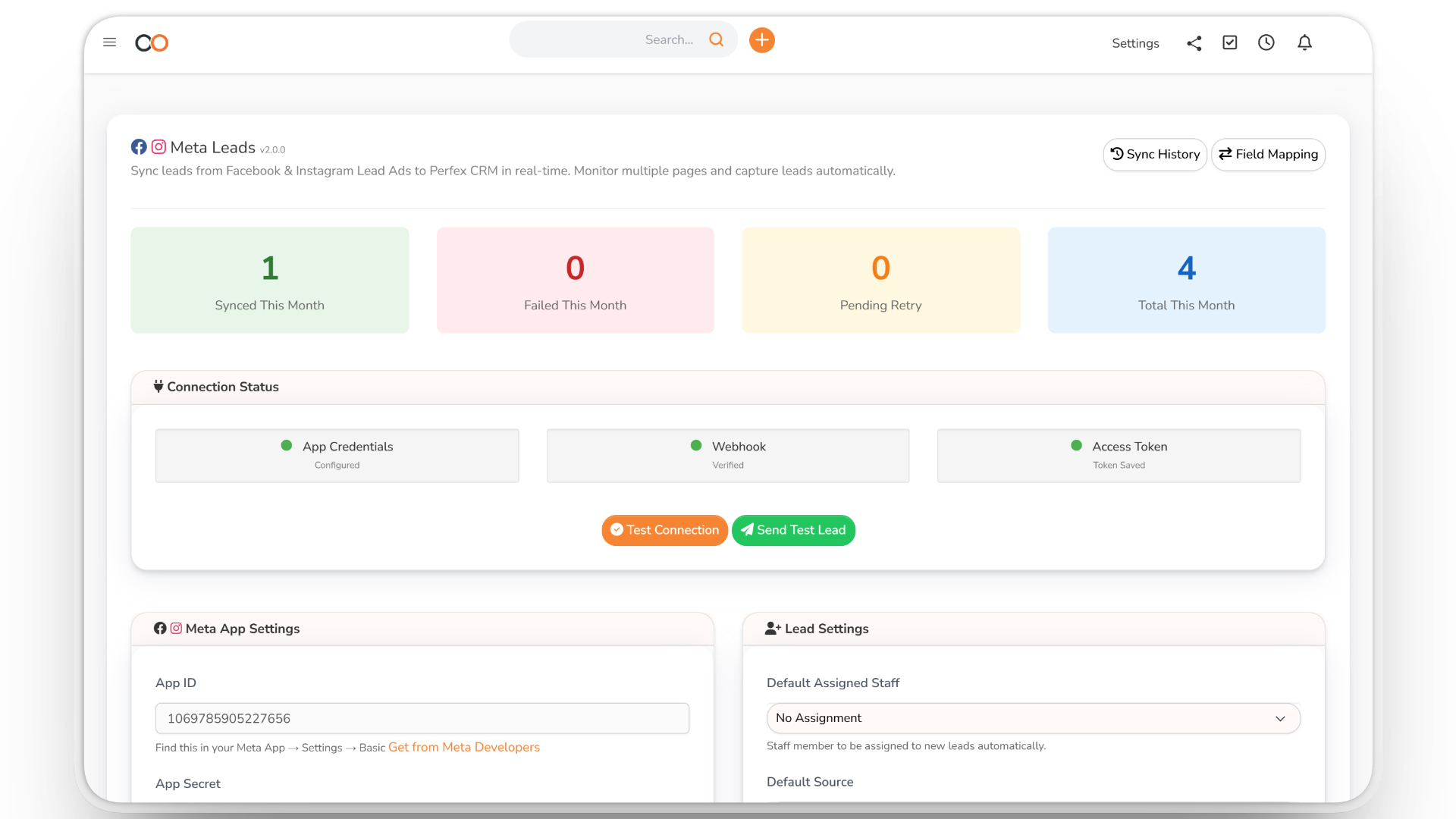
Instant Lead Import
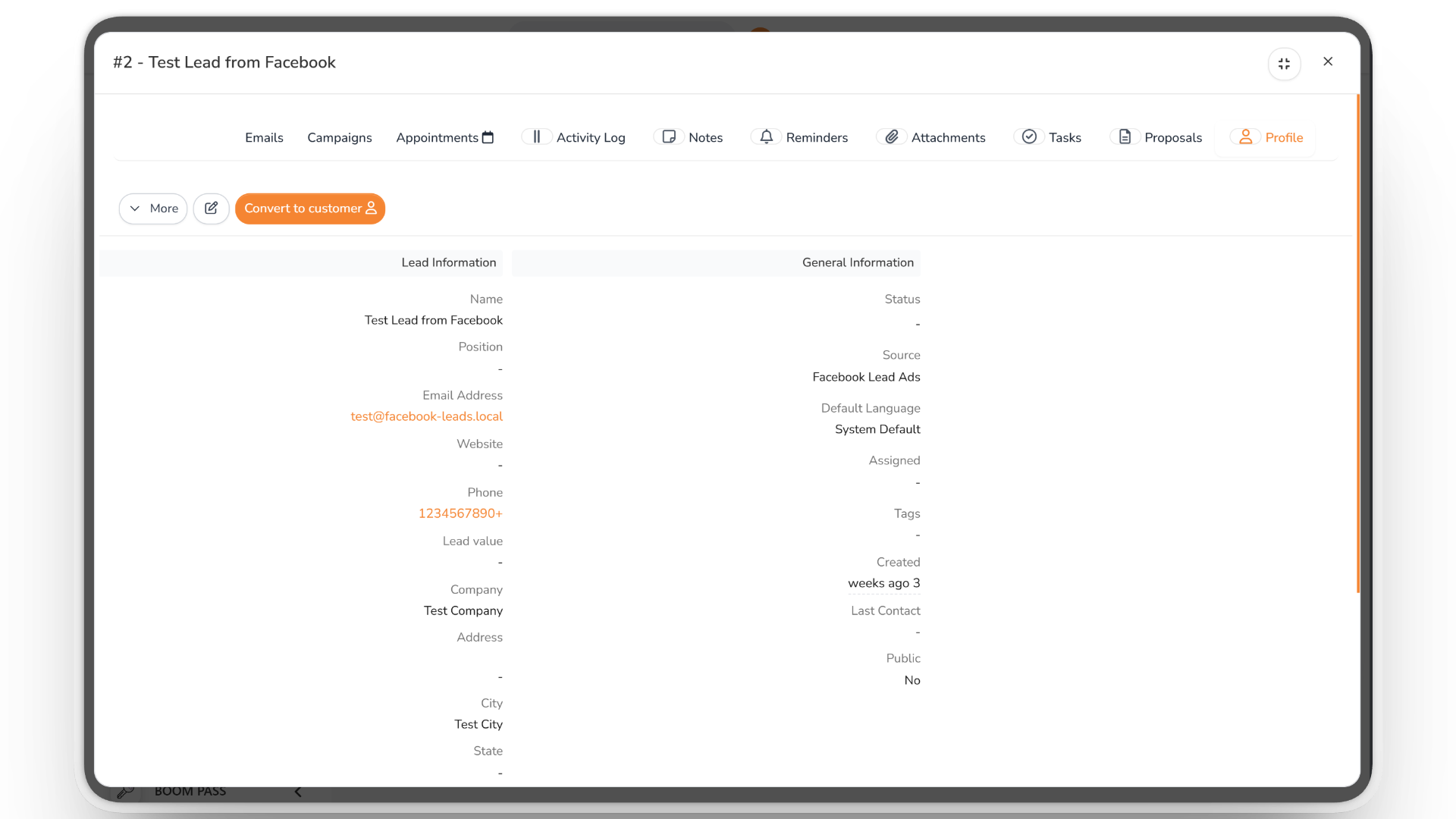
Ditch the tedious, manual Excel downloads. The moment a client fills out your ad form on Facebook or Instagram, they are instantly added as a Lead in your system.
- Real-time data arrival
- Instant notifications for your sales team
- Ready for immediate follow-up
Smart Organization & Duplicate Prevention
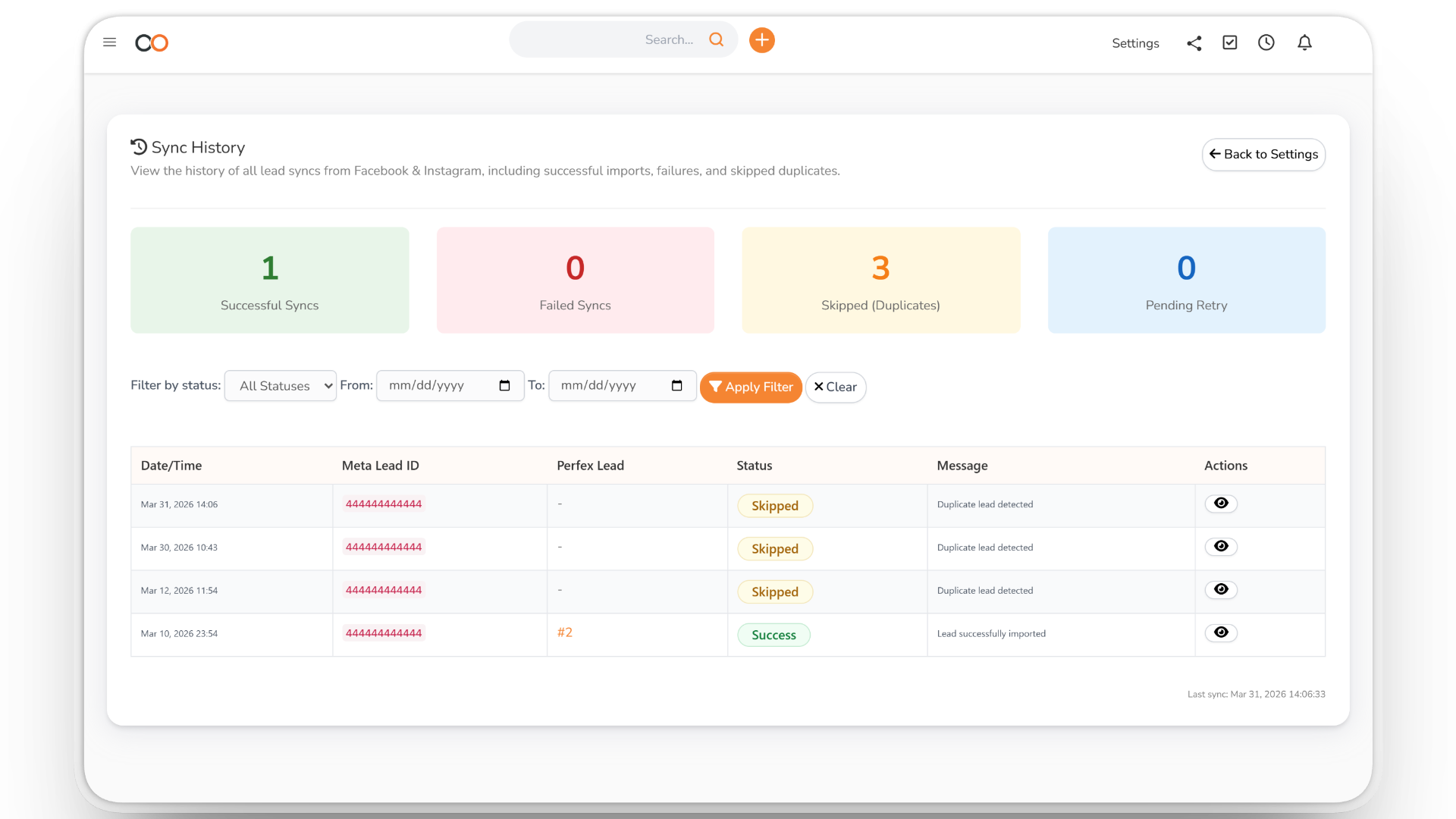
Keep your database clean. The system automatically detects duplicate leads (by email or phone) to prevent spamming. It also assigns leads to specific sales reps based on the ad page or campaign.
- Duplicate protection system
- Precise custom field mapping
- Auto-assign sales reps per page
Accurate Logs & Tracking
Monitor your campaigns with peace of mind. A transparent dashboard shows import stats and a full sync history. If a temporary connection error occurs, the system queues the data to retry later automatically.
- Complete sync history
- Auto-retry system for connection drops
- Transparent reports to ensure no lost deals
Facebook & Instagram Leads, Straight Into Your CRM
A lead who fills in your ad form expects a quick call. When leads wait in a spreadsheet download, they go cold. Leads Integration brings each one into BOOM ERP the moment the form is submitted.
If a lead cannot be imported because of a temporary connection problem, it waits in a retry queue and is imported automatically — and the sync history shows every import, failure and skipped duplicate.
Leads arrive in the CRM, ready for your sales team. Follow them up by phone with Sales Calls, or nurture them with Marketing Automation.
From Ad Form to Follow-Up
1. Connect
Follow the setup wizard to connect your Facebook account and subscribe your pages.
2. Map
Match the ad form questions to lead fields, and choose the default status and source.
3. Assign
Set who receives the leads of each page, with email notifications for new leads.
4. Follow up
Each new lead appears in the CRM within moments, ready for a call.
Everything You Need to Capture Ad Leads
What your team gets with Leads Integration:
- Facebook & Instagram — Lead Ads from both platforms.
- Multiple pages — subscribe and manage several pages.
- Field mapping — match form questions to lead fields.
- Defaults — status, source and assigned staff for new leads.
- Per-page assignment — send each page's leads to the right person.
- Duplicate detection — skip leads that already exist.
- Notifications — email alerts for new leads.
- Retry queue — failed imports retried automatically.
- Sync history — every import, failure and skipped duplicate.
- Test lead — check the connection before going live.
Made for Teams That Run Lead Ads
Want to see it first? Talk to us, or compare the plans.